Aprueba y marca como spam los comentarios
Los pasos
-
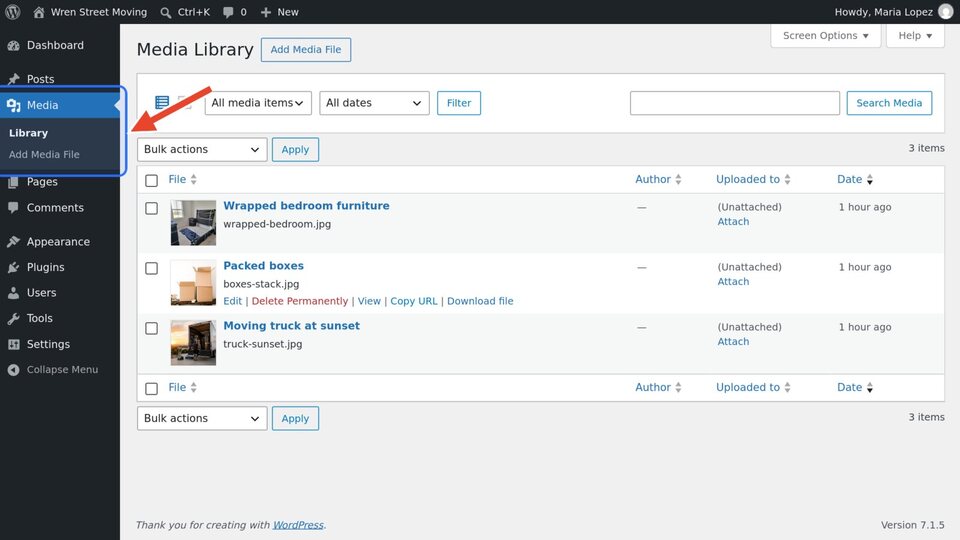
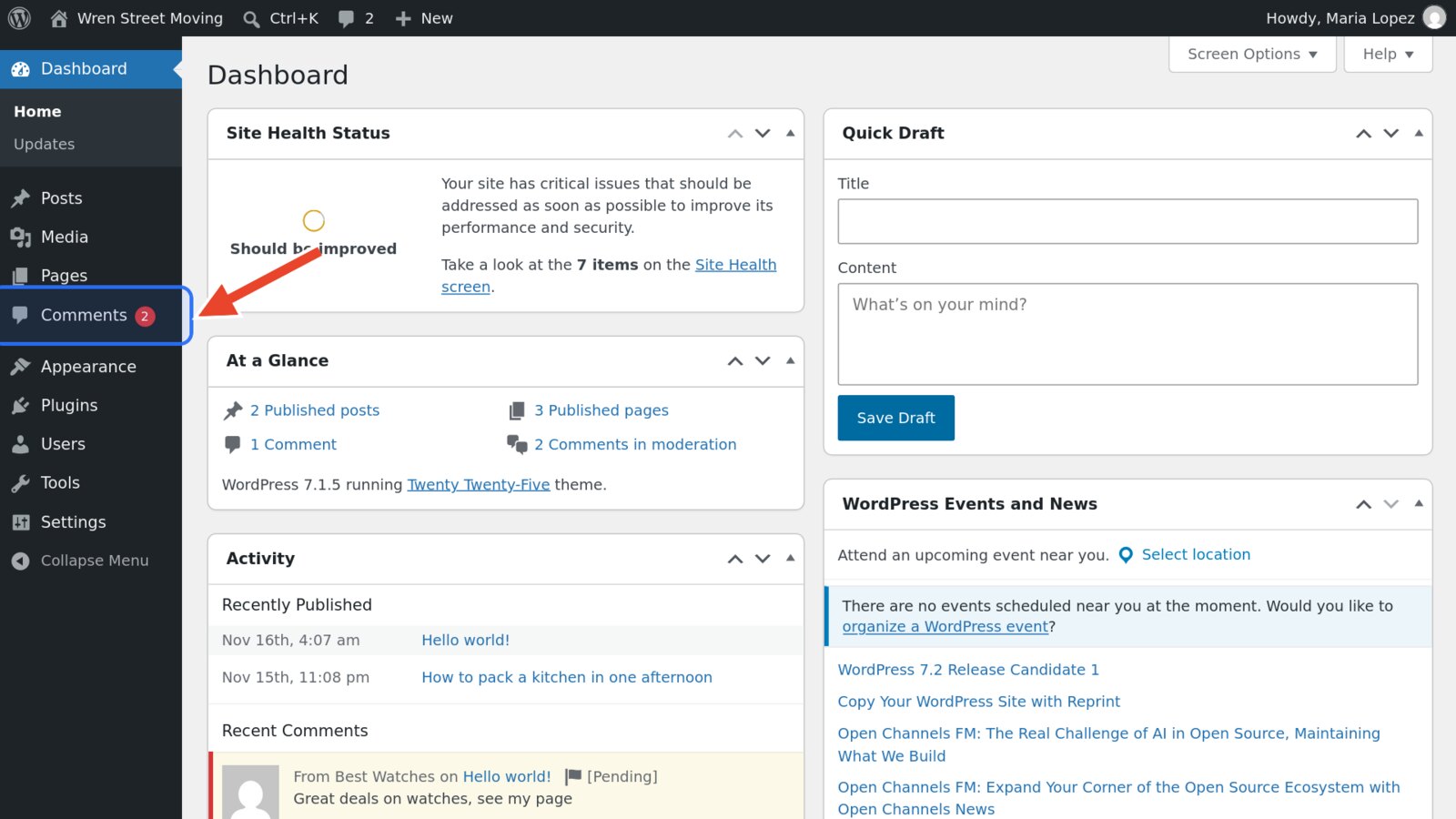
Comments is in the left menu. Press it to see every comment.Comments está en el menú de la izquierda. Presiónalo para ver todos los comentarios.
-
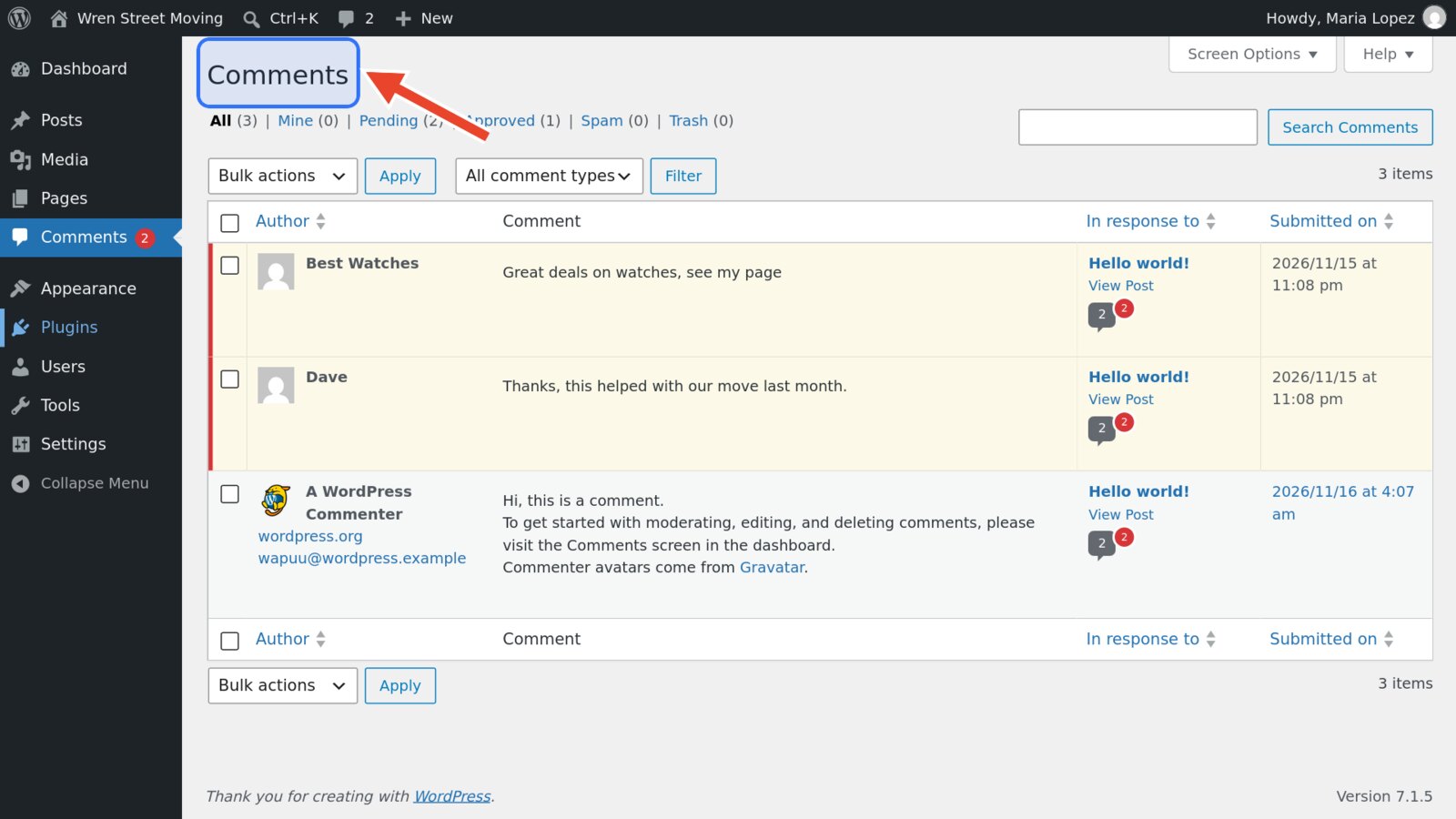
This is the Comments screen. The newest comment is listed first.Esta es la pantalla Comments. El comentario más reciente aparece primero.
-
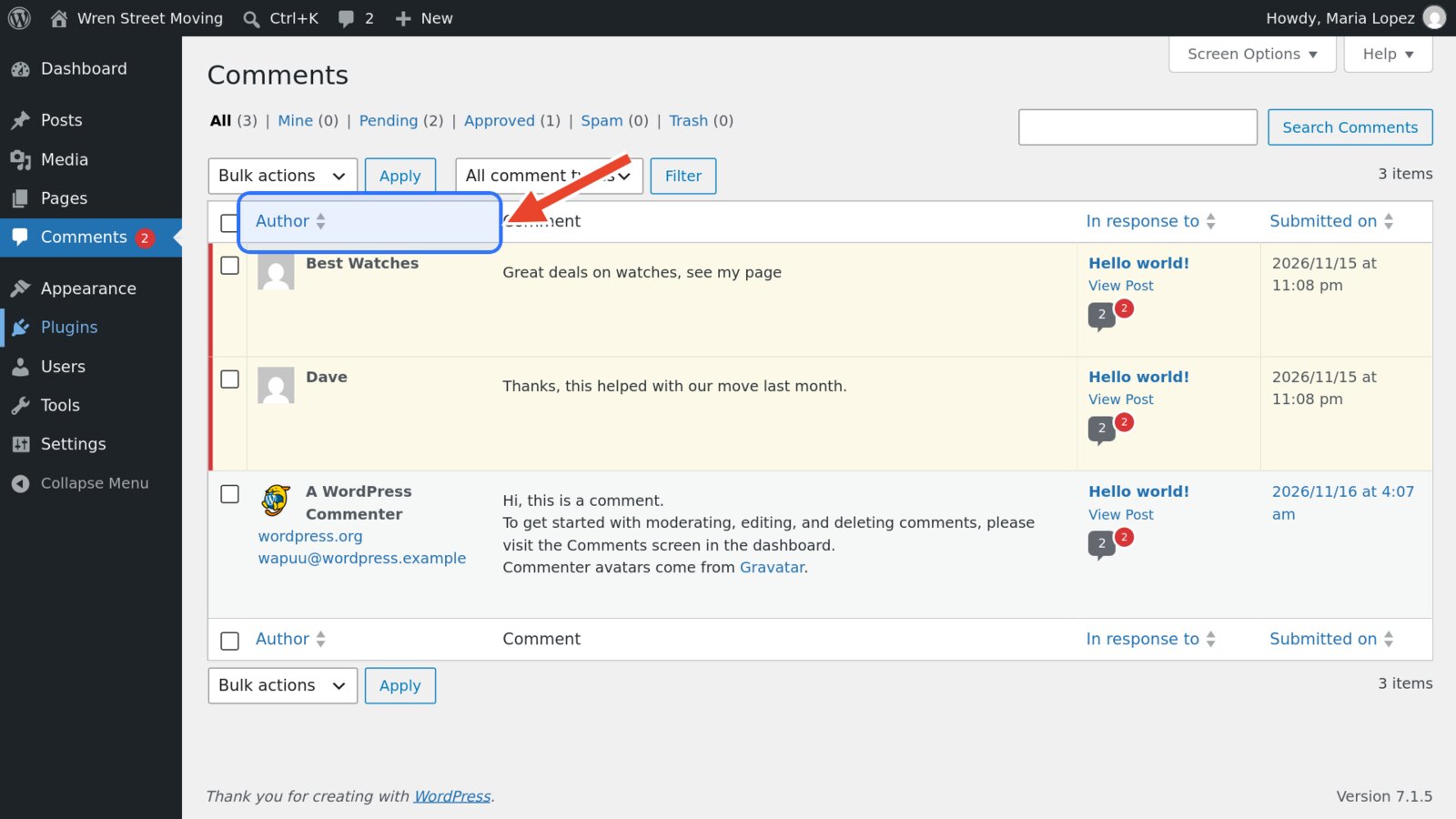
The Author column shows the name, email and website.La columna Author muestra el nombre, el correo y el sitio web.
-
Find the Dave row. Press Approve on that row.Busca la fila de Dave. Presiona Approve en esa fila.
Consejo: Approve the real comment first, then deal with the junk one.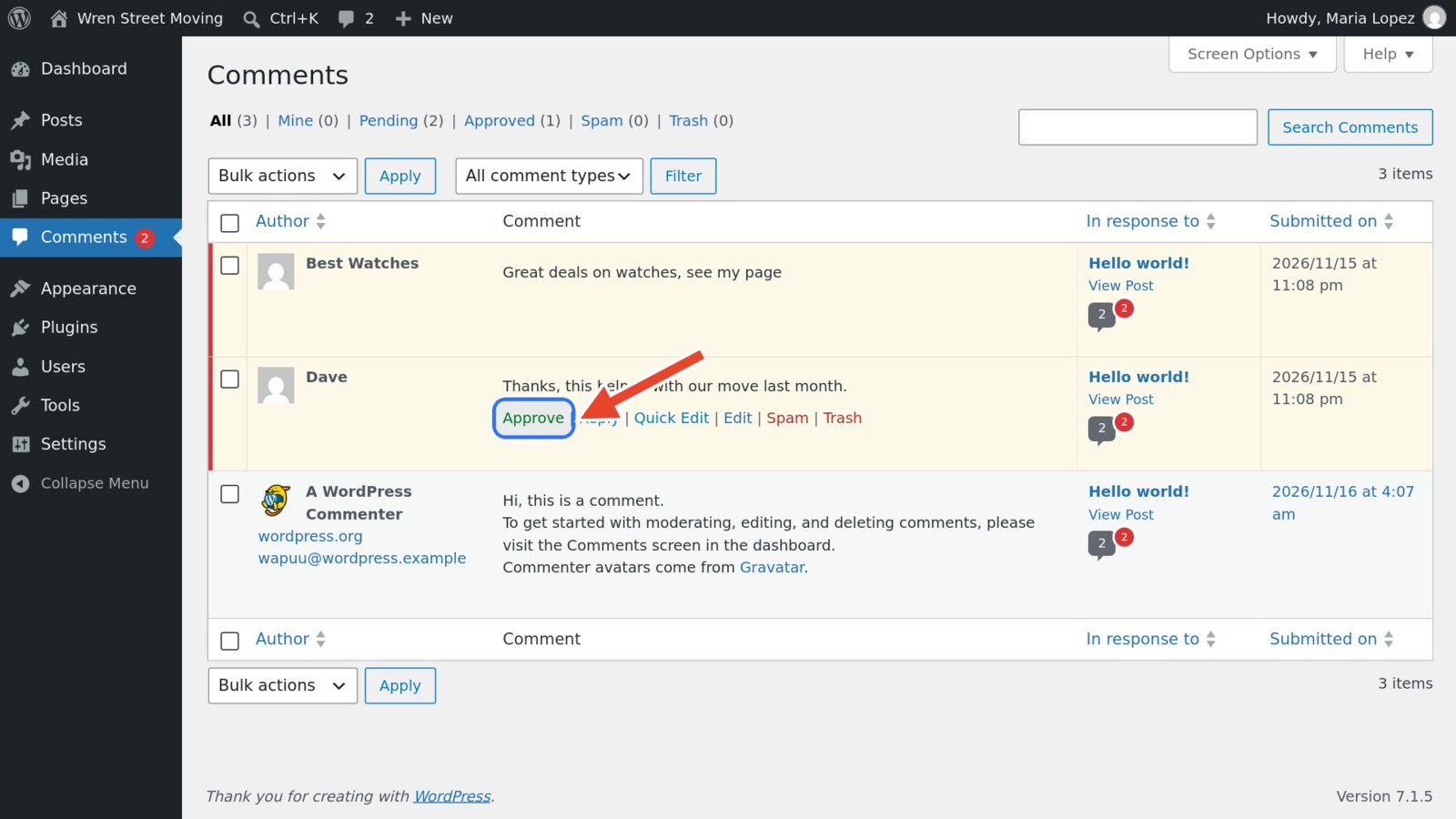
-
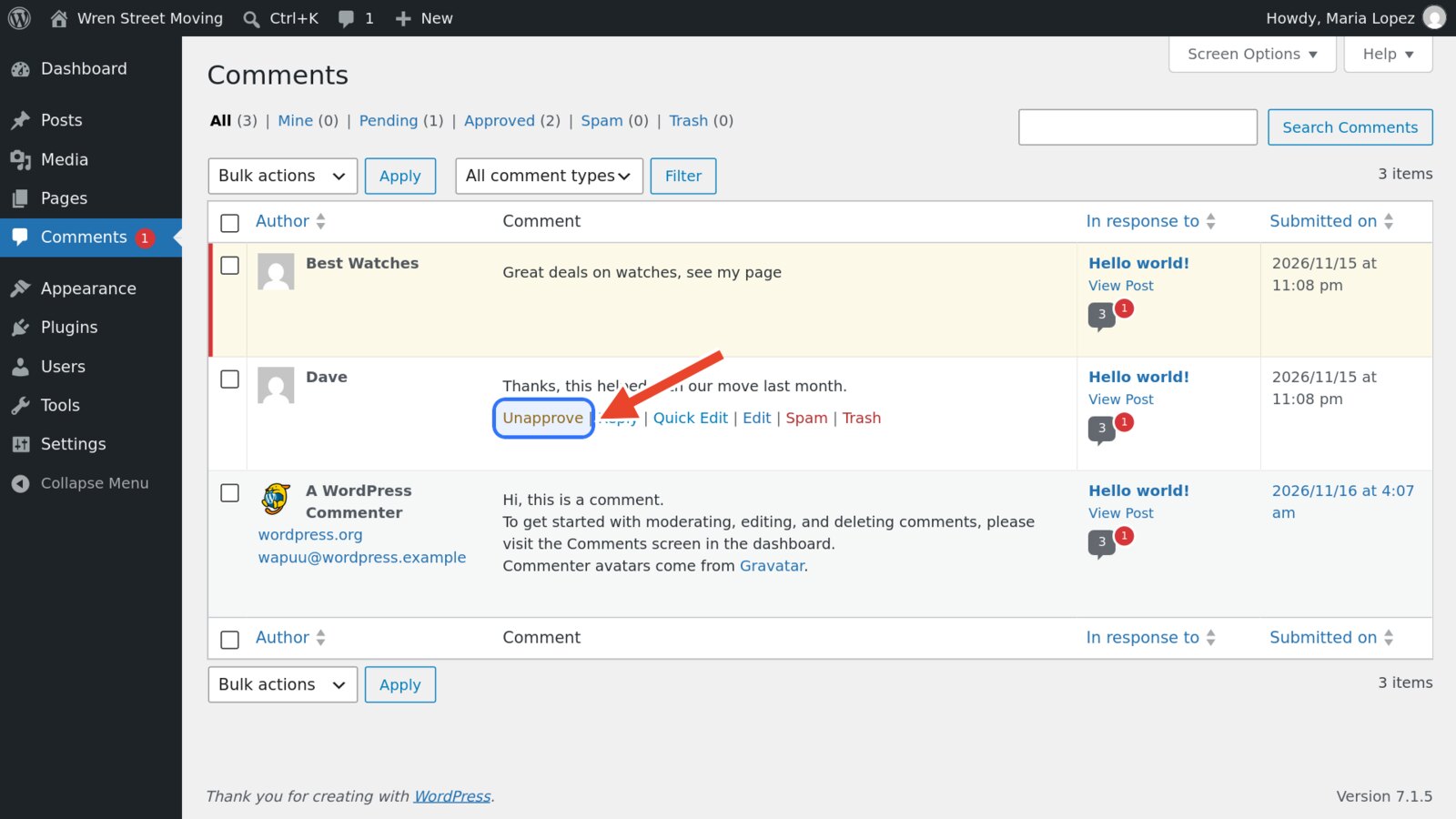
The Approve link changed to Unapprove. Dave's comment is approved.El enlace Approve cambió a Unapprove. El comentario de Dave está aprobado.
-
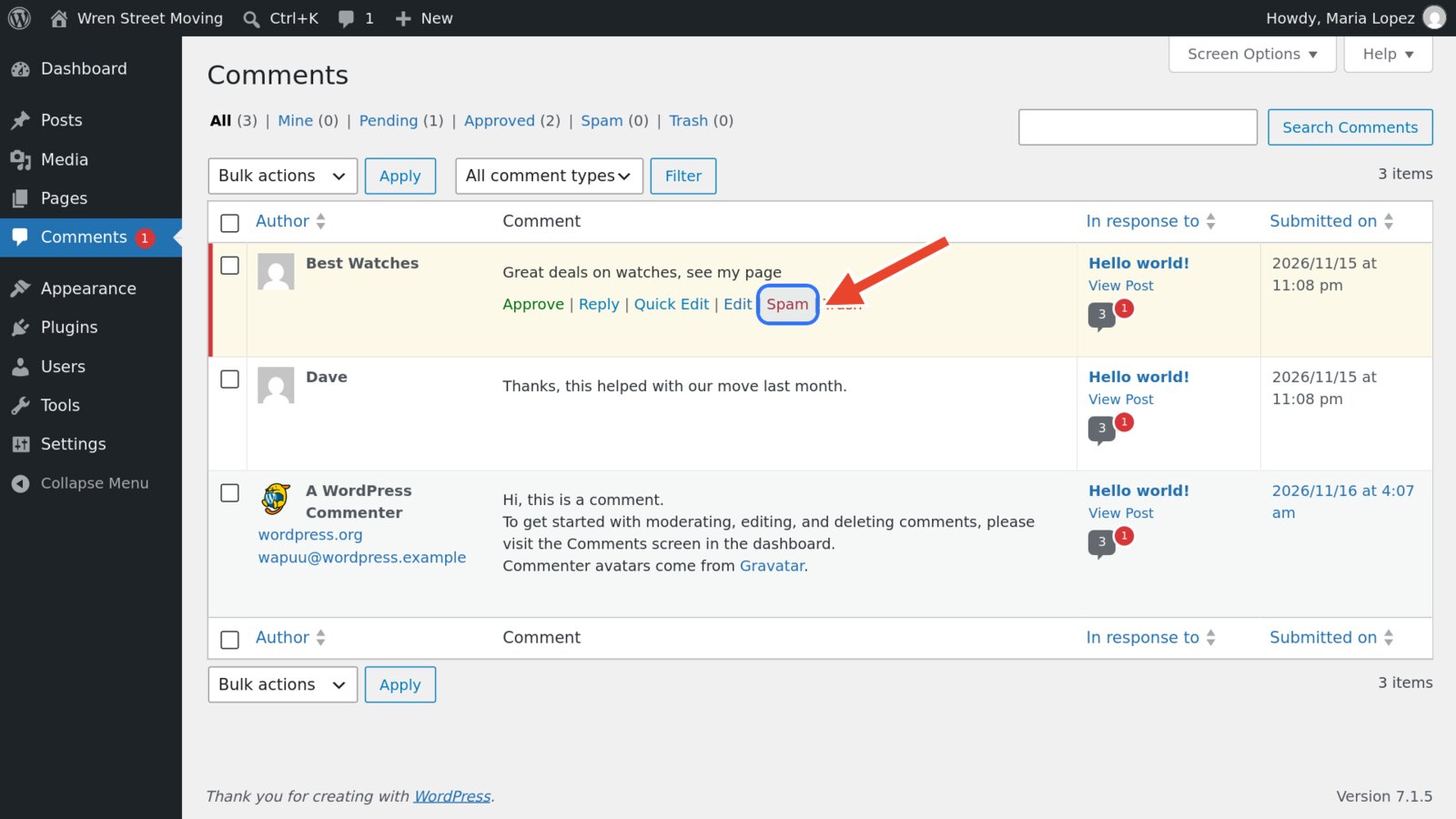
Best Watches is the junk comment. Press Spam on its row.Best Watches es el comentario basura. Presiona Spam en su fila.
-
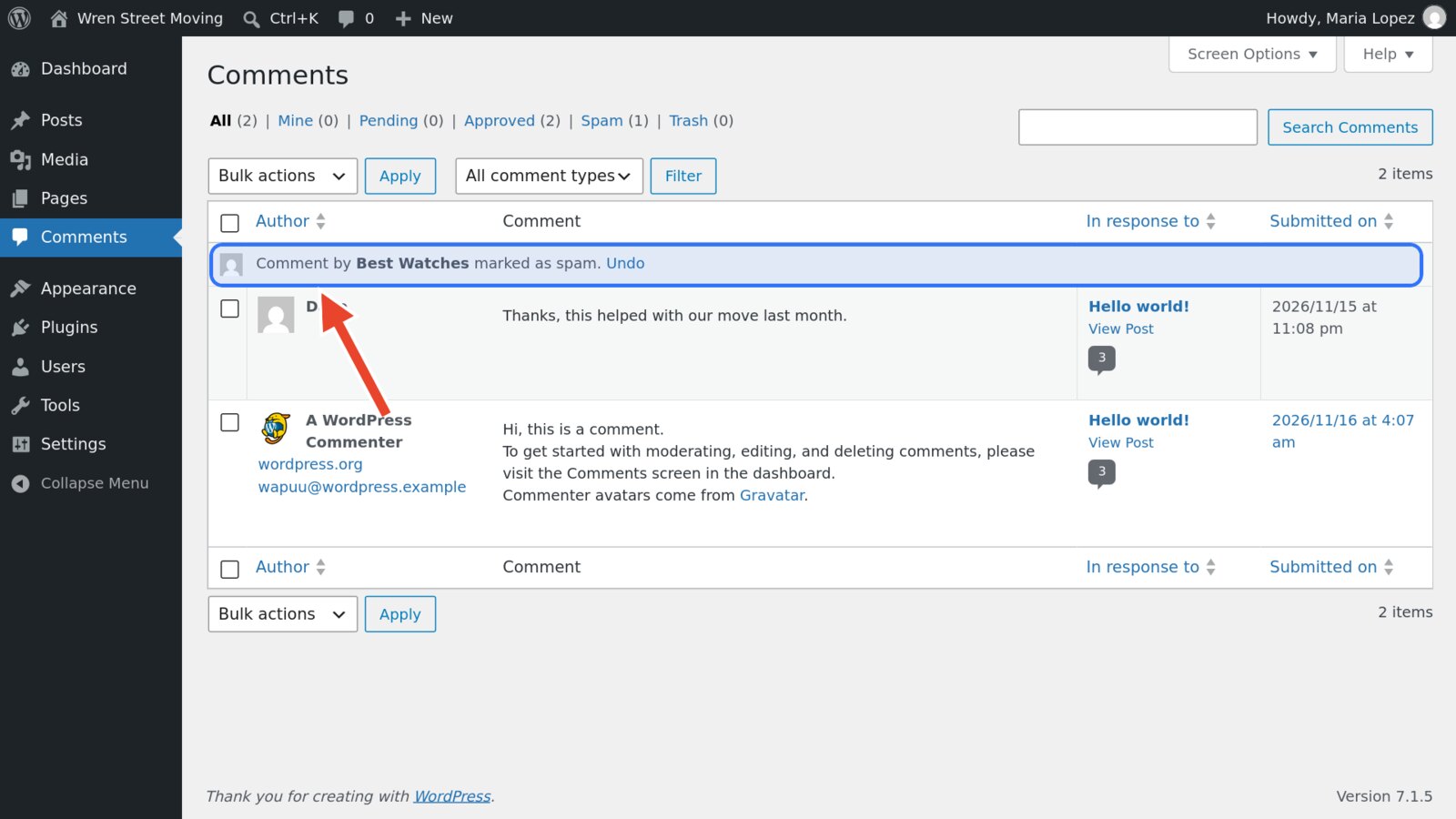
This line confirms it: Best Watches is marked as spam. Undo is there if you slip.Esta línea lo confirma: Best Watches quedó marcado como spam. Undo está ahí por si te equivocas.
-
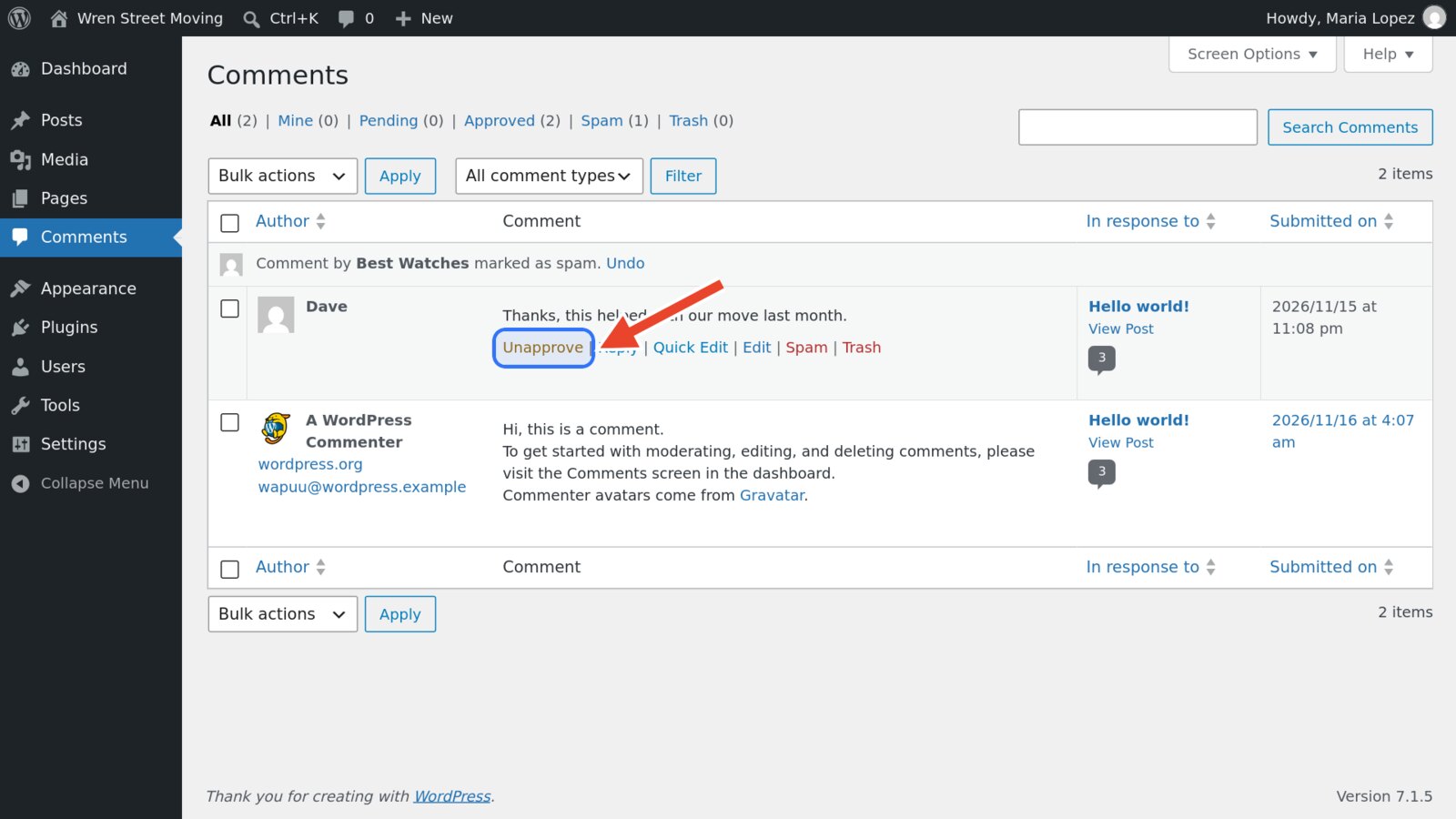
Dave's comment is approved. Best Watches is marked as spam.El comentario de Dave está aprobado. Best Watches está marcado como spam.
¿Atascado en tu propia página web?
Te guío paso a paso, en video, en tu sitio real. O déjame el trabajo y lo dejo hecho.
- Tú haces clic, yo guío
- Un solo precio por trabajo, fijado antes de empezar
- Inglés o español
De dónde viene esto
Cada paso se realizó en un sitio de WordPress real y se verificó con la documentación oficial de WordPress: