Approve and spam comments
The steps
-
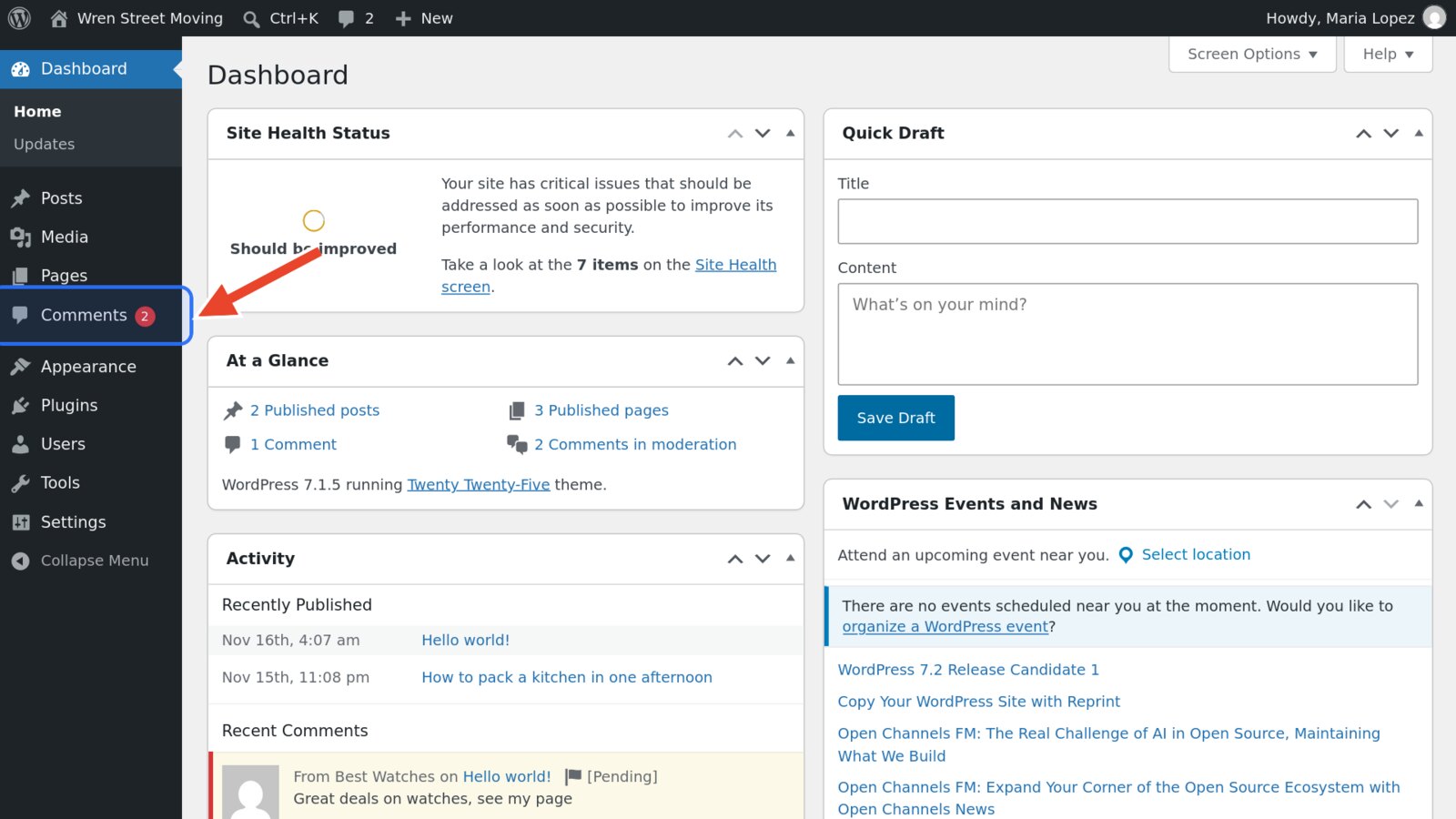
Comments is in the left menu. Press it to see every comment.Comments está en el menú de la izquierda. Presiónalo para ver todos los comentarios.
-
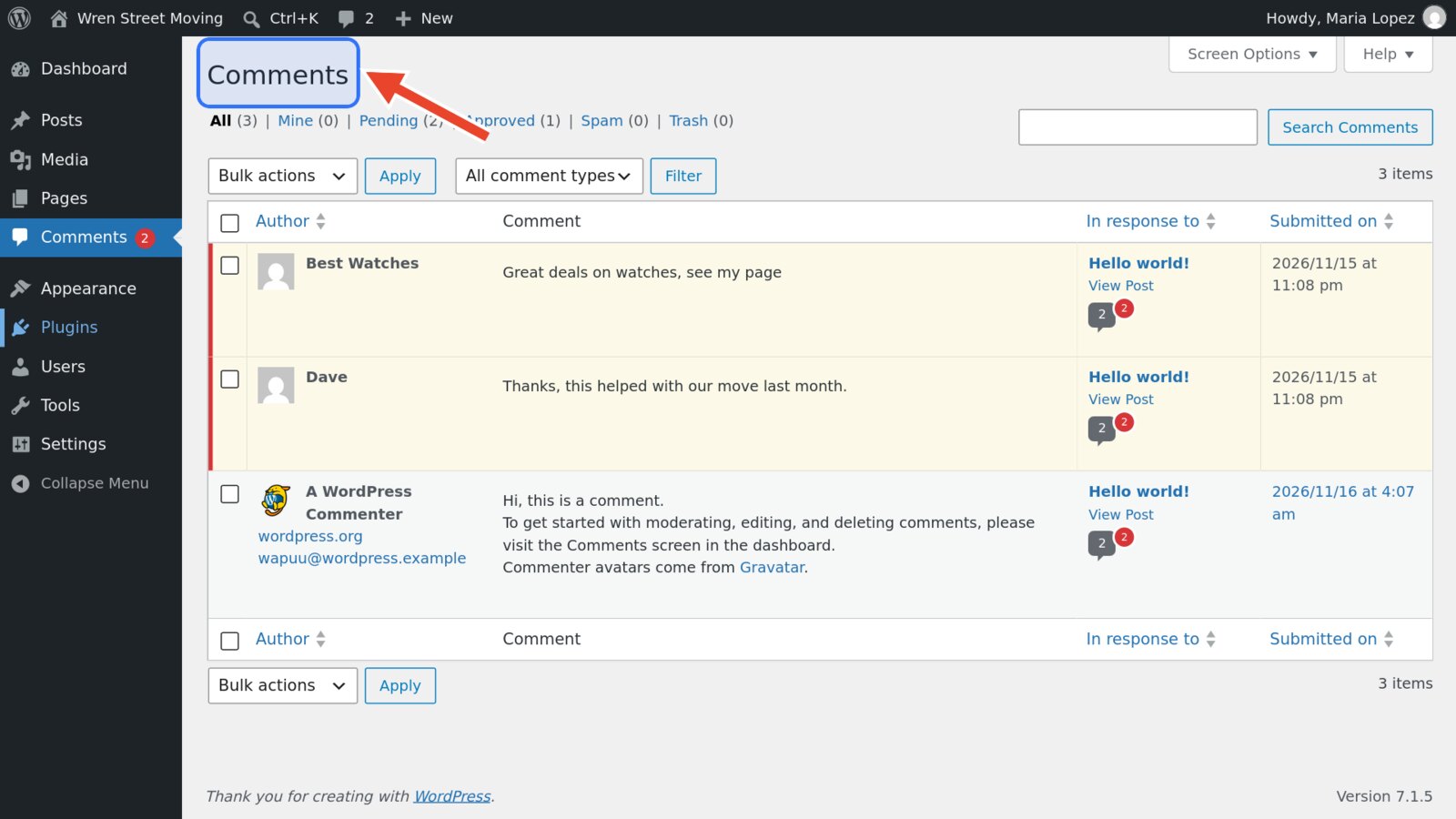
This is the Comments screen. The newest comment is listed first.Esta es la pantalla Comments. El comentario más reciente aparece primero.
-
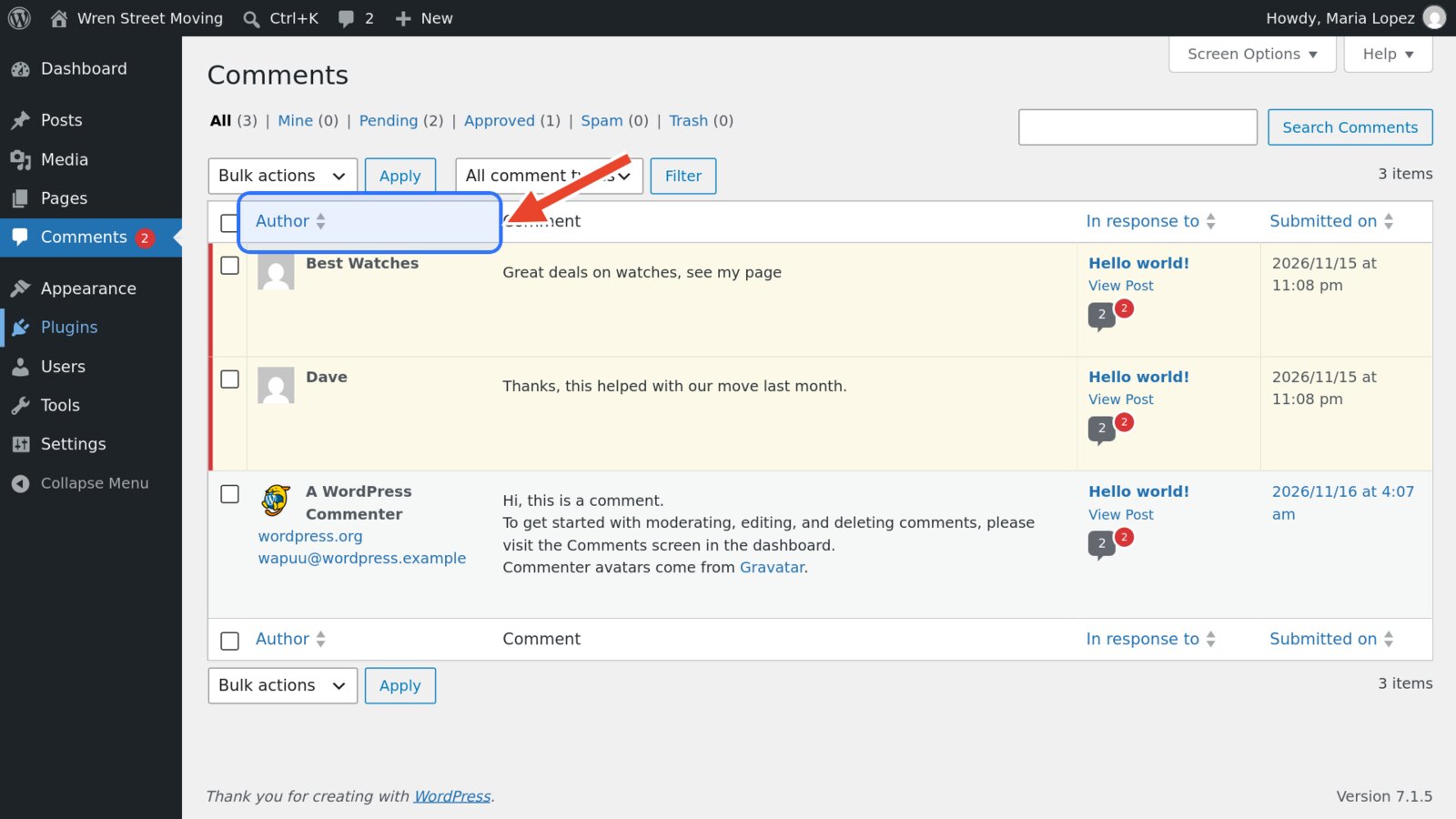
The Author column shows the name, email and website.La columna Author muestra el nombre, el correo y el sitio web.
-
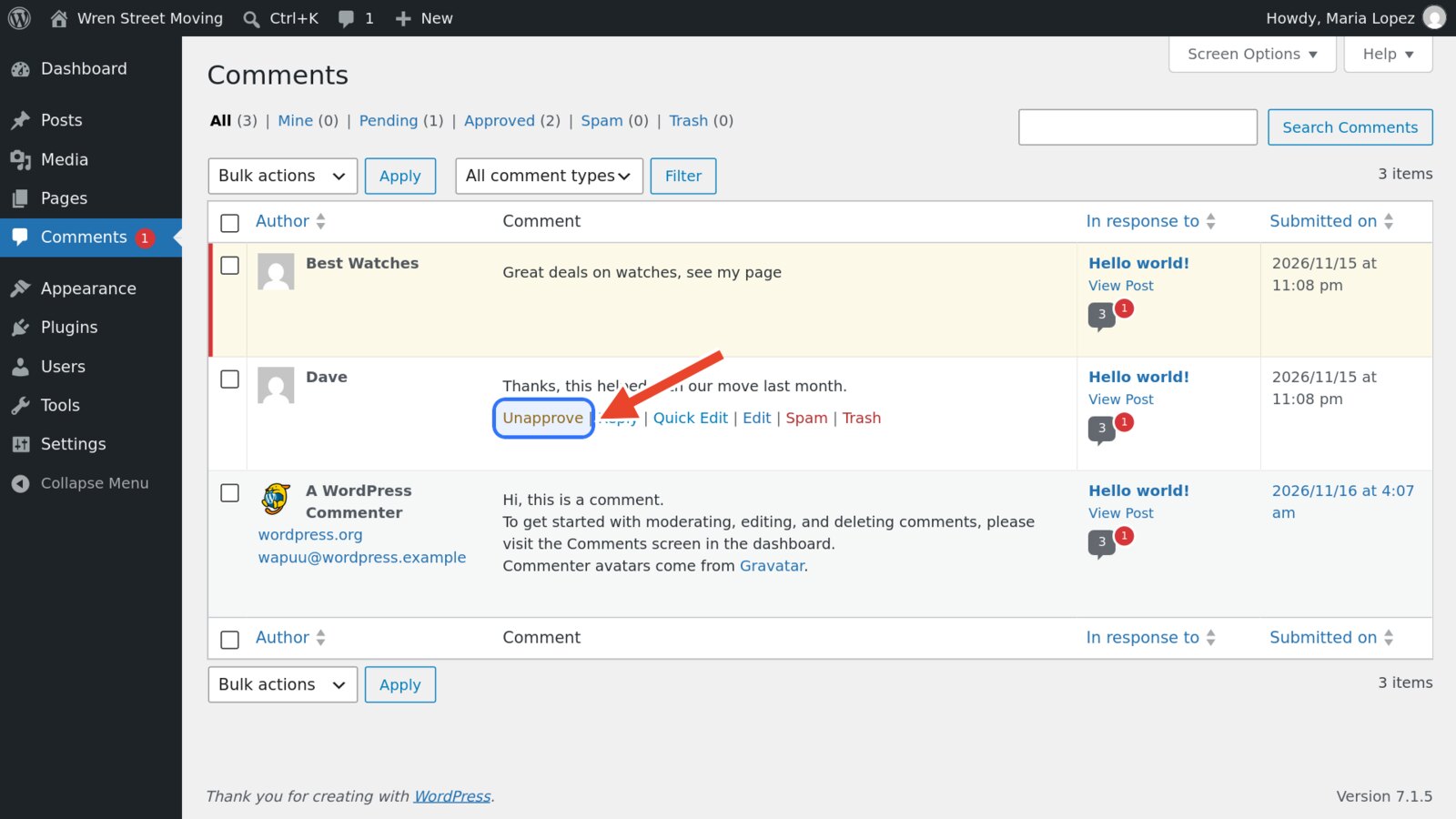
Find the Dave row. Press Approve on that row.Busca la fila de Dave. Presiona Approve en esa fila.
Tip: Approve the real comment first, then deal with the junk one.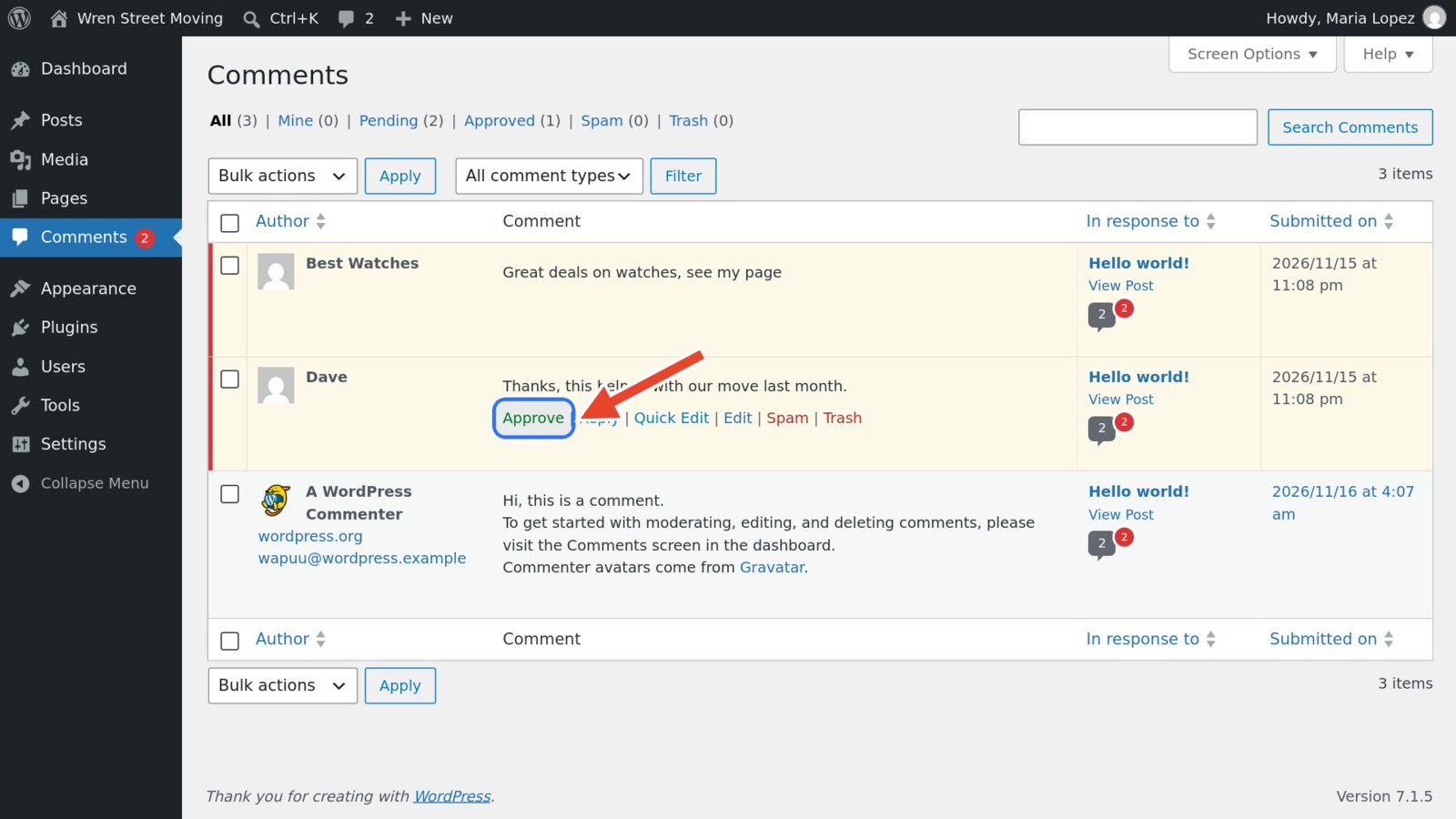
-
The Approve link changed to Unapprove. Dave's comment is approved.El enlace Approve cambió a Unapprove. El comentario de Dave está aprobado.
-
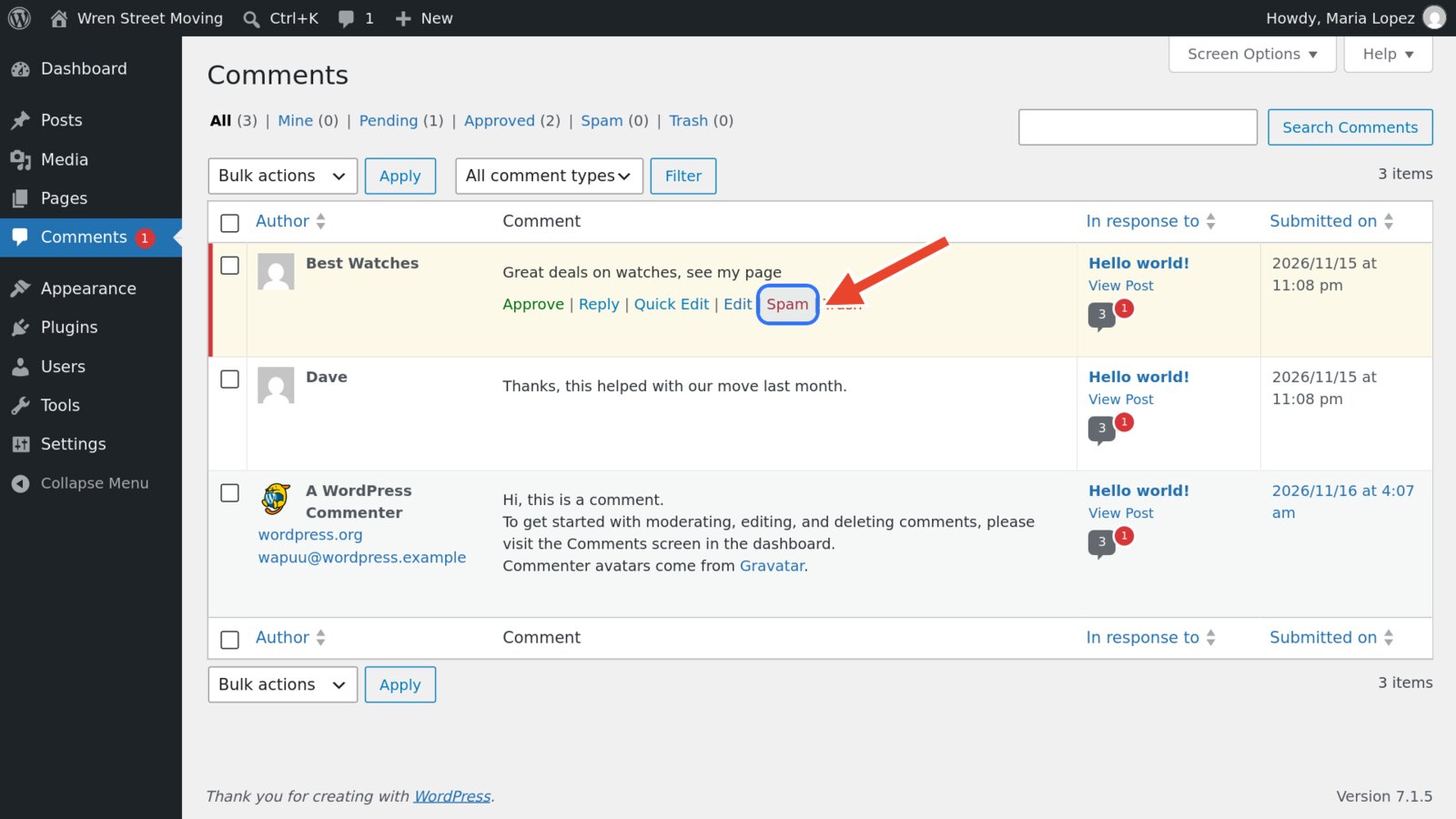
Best Watches is the junk comment. Press Spam on its row.Best Watches es el comentario basura. Presiona Spam en su fila.
-
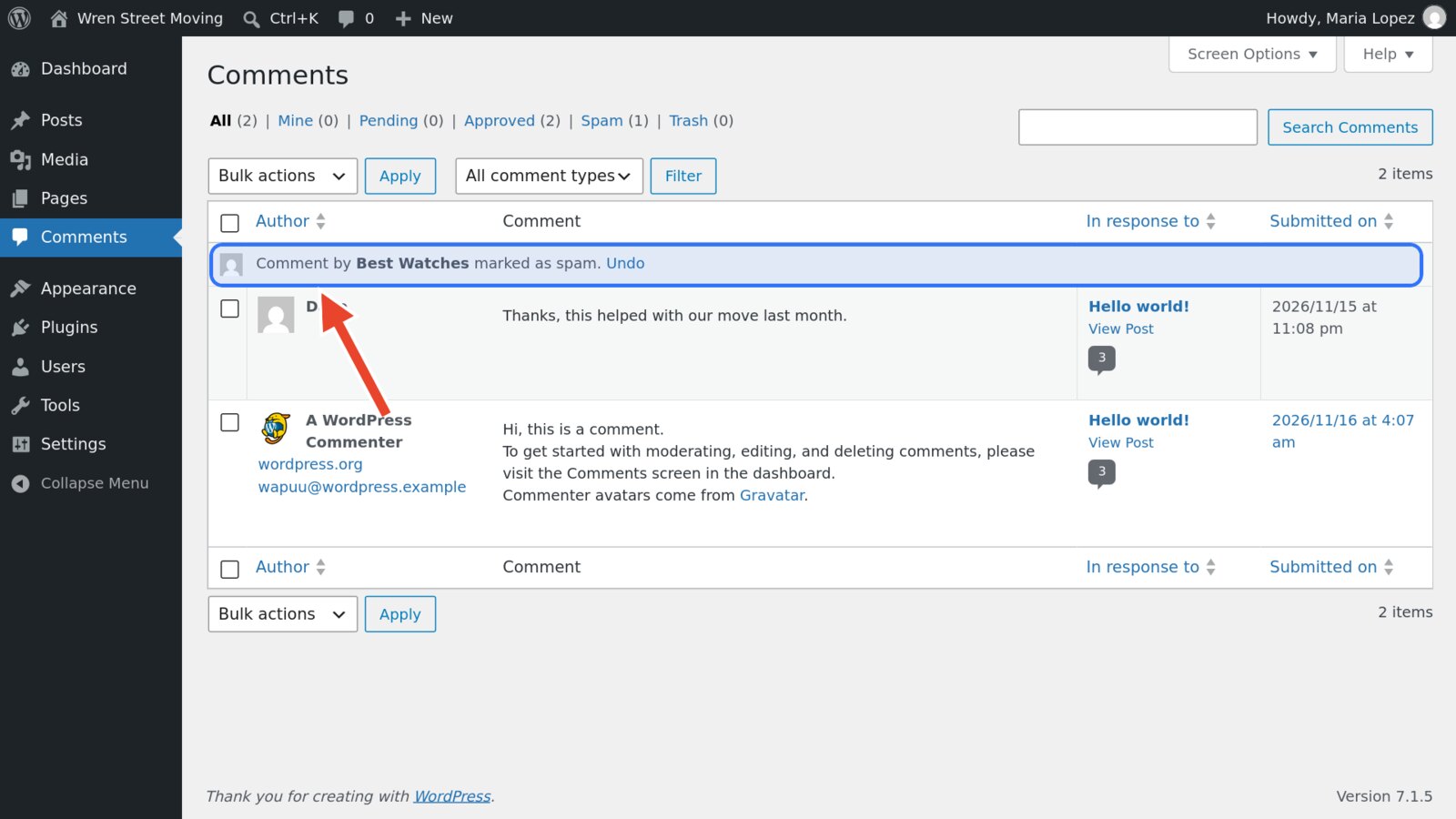
This line confirms it: Best Watches is marked as spam. Undo is there if you slip.Esta línea lo confirma: Best Watches quedó marcado como spam. Undo está ahí por si te equivocas.
-
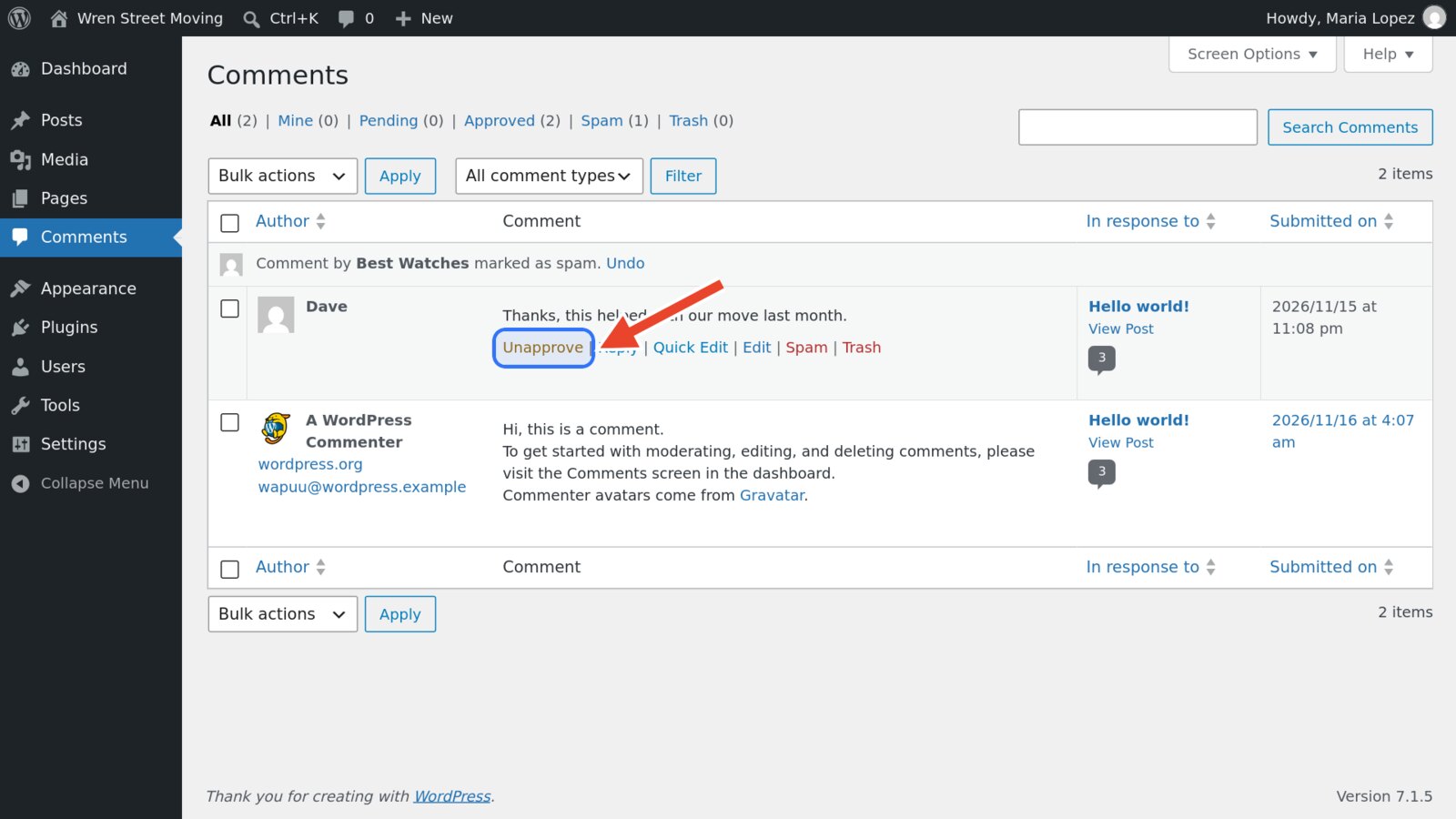
Dave's comment is approved. Best Watches is marked as spam.El comentario de Dave está aprobado. Best Watches está marcado como spam.
Stuck on your own site?
Get walked through it one-on-one, on video, on your real site. Or hand the job over and have it done.
- You click, I guide
- One price per job, set before work starts
- English or Spanish
Where this comes from
Every step was run on a real WordPress site and checked against the official WordPress documentation: